
SELL PERSONALISED PRODUCTS ONLINE
A store for personalised products
Customers see a preview before buying, and your team can route orders automatically.
4.9 / 5.0Google Review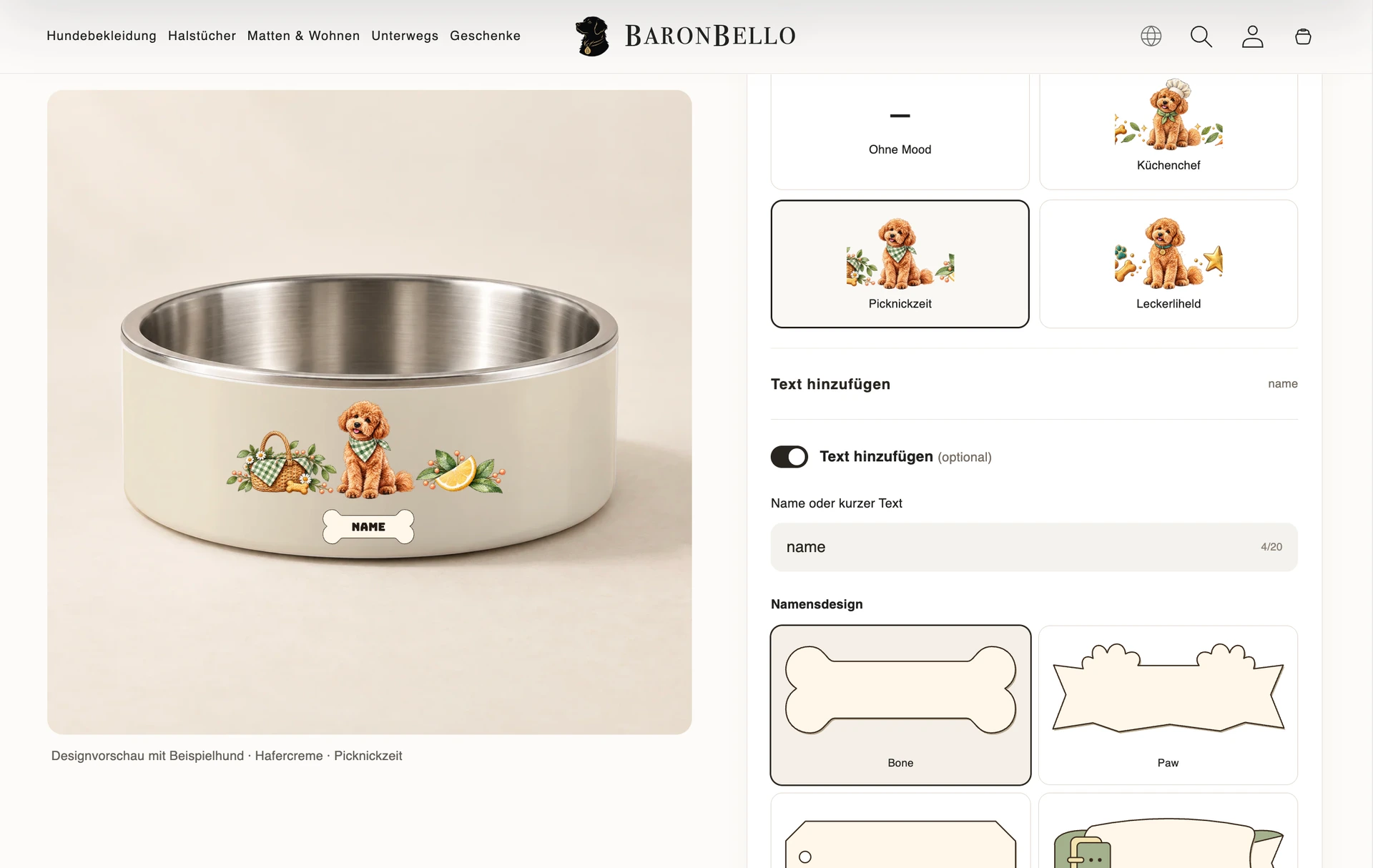

Sell personalised products without passing every order along by hand.
Adding names, photos or designs takes more than a text field. The preview, production files and supplier handoff need to work together.
Customers see their design.
The configurator captures names, photos and options. A preview helps customers check their choices before ordering.
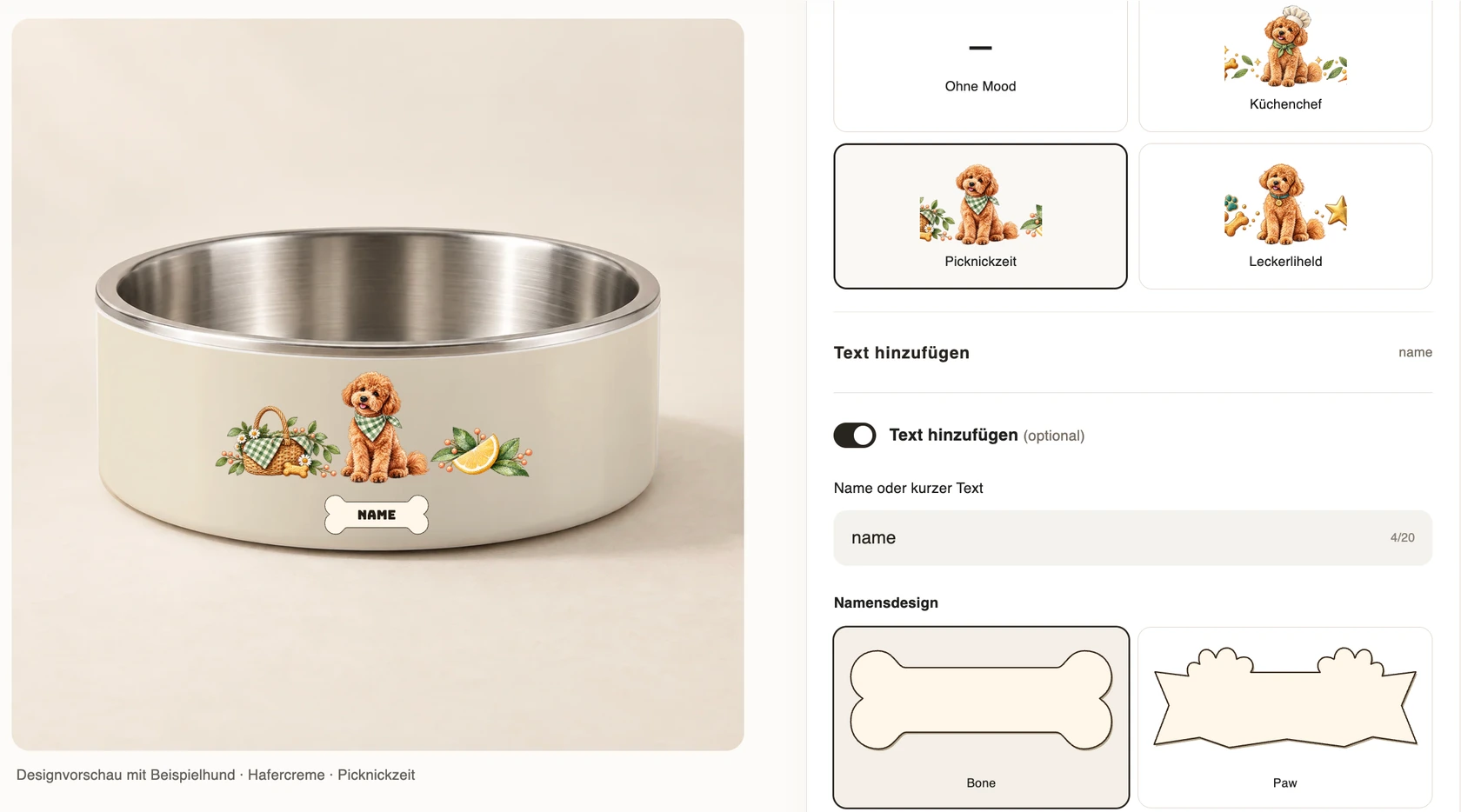
Product configurator You manage everything in one dashboard.
Keep products, configuration rules, prices, orders, suppliers and status updates in one place.
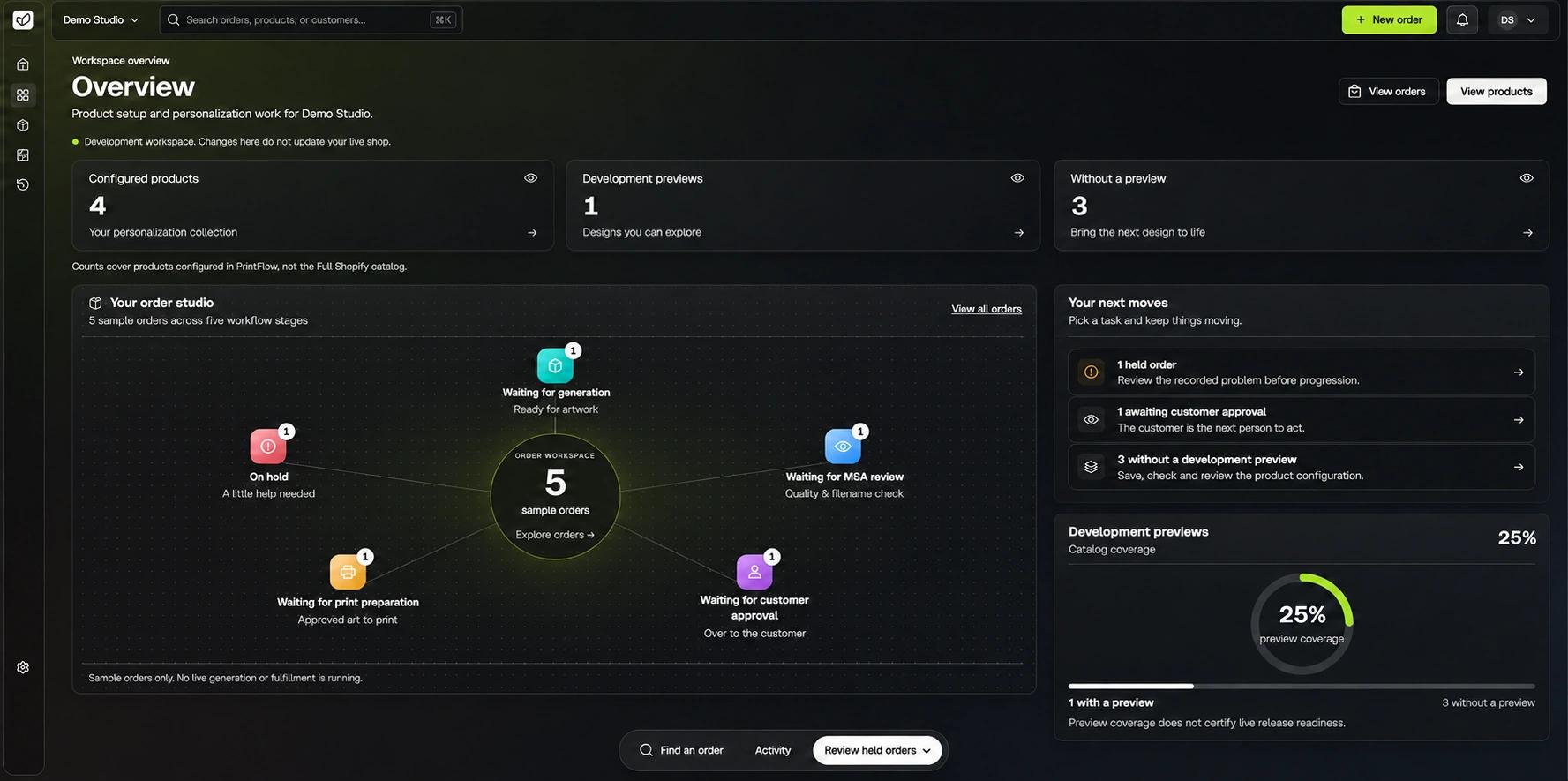
Dashboard overview Approved orders go into production.
After checkout, approved order and production data can go straight to suppliers through supported integrations.
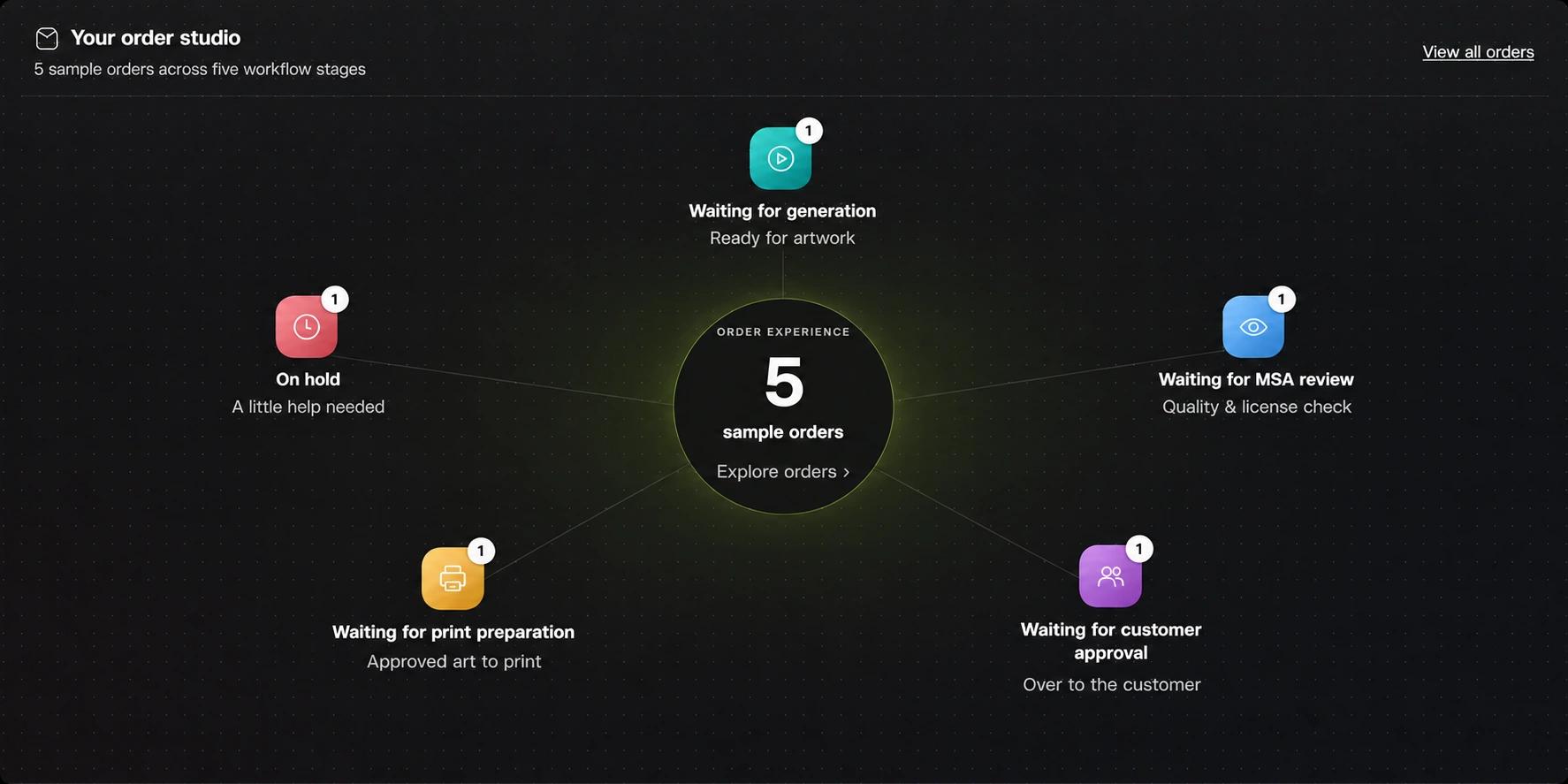
Order workflow
A configurable store built around your production workflow.
We adapt the configurator, dashboard and supplier handoff to your catalogue, fulfilment process and available integrations.
Personalised products
Let shoppers choose variants and enter names, text or images for items such as pet accessories, photo gifts and printed T-shirts.

AI-assisted product preview
A demo mode shows how AI can visualise personalised products. The preview is illustrative and production requires approved files.
Rules-based product preview
Use fixed templates to position text and images and render selected variants consistently.
Central management dashboard
Manage products, options, prices, orders, suppliers and statuses together. Configure roles and permissions for your team.
Direct supplier integration
Send order details, personalisation choices and production files via supported APIs or agreed file formats.
Automation and privacy
Automate recurring steps where supplier capabilities and approval rules allow. Plan access controls and the handling of customer photos from the start.
From product requirements to automated order processing.
Understand your products and workflow
We identify product types, personalisation fields, preview needs, suppliers and production requirements.
Plan previews and the dashboard
We agree how each preview mode works, which settings are editable and where approval is required.
Connect the store and suppliers
We set up the configurator and implement the agreed interfaces for orders, files and status updates.
Test, approve and hand over
We test representative orders, error handling and supplier handoffs using test data before the automation goes live.

Selected online stores from our portfolio.
Two examples of how we organise catalogues, present products and make online stores easy to shop.
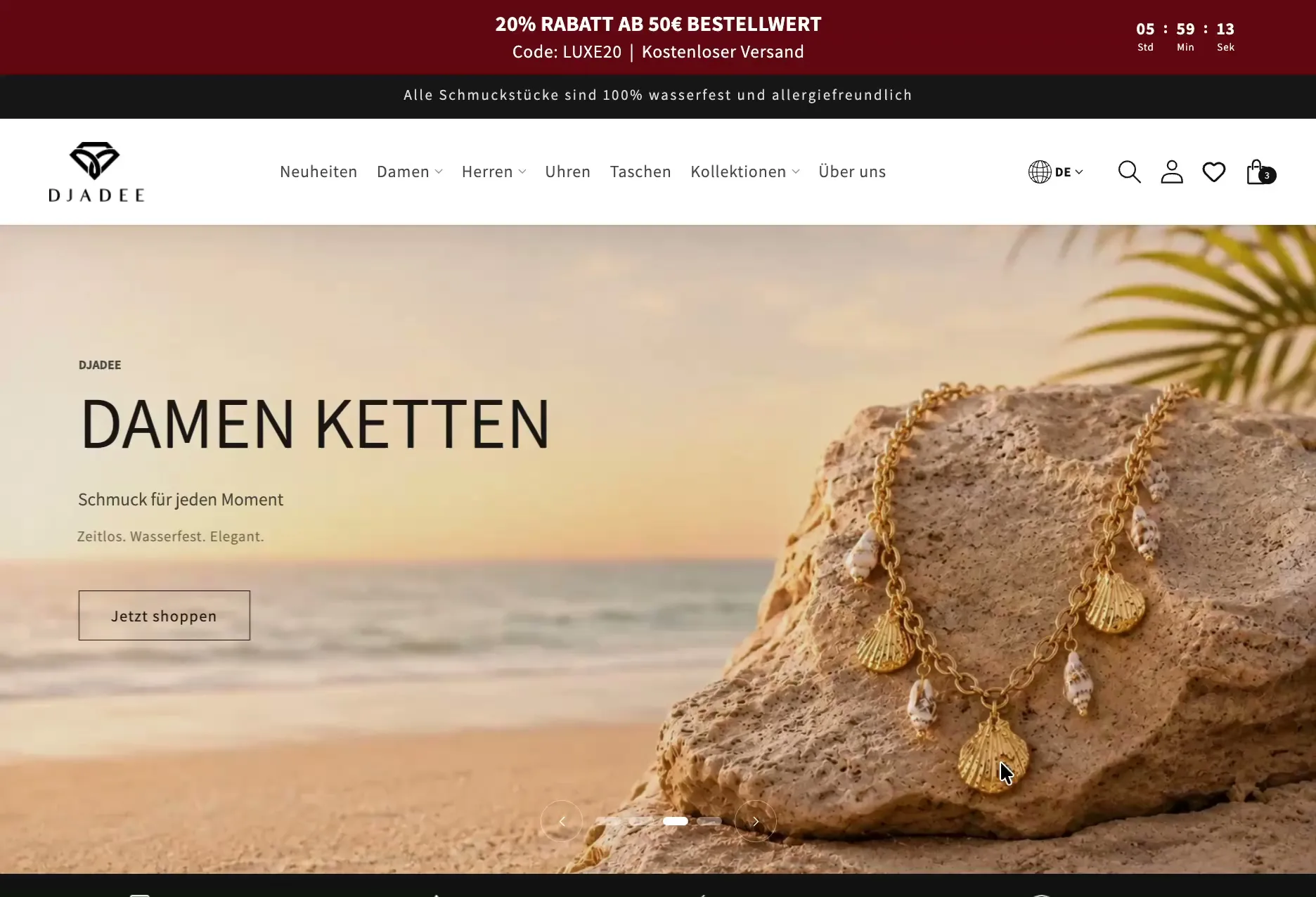
DIADEE – Jewelry & Watches
A premium jewelry store for necklaces, rings, bracelets, and watches with editorial campaigns, clear categories, bestsellers, and fast product discovery.
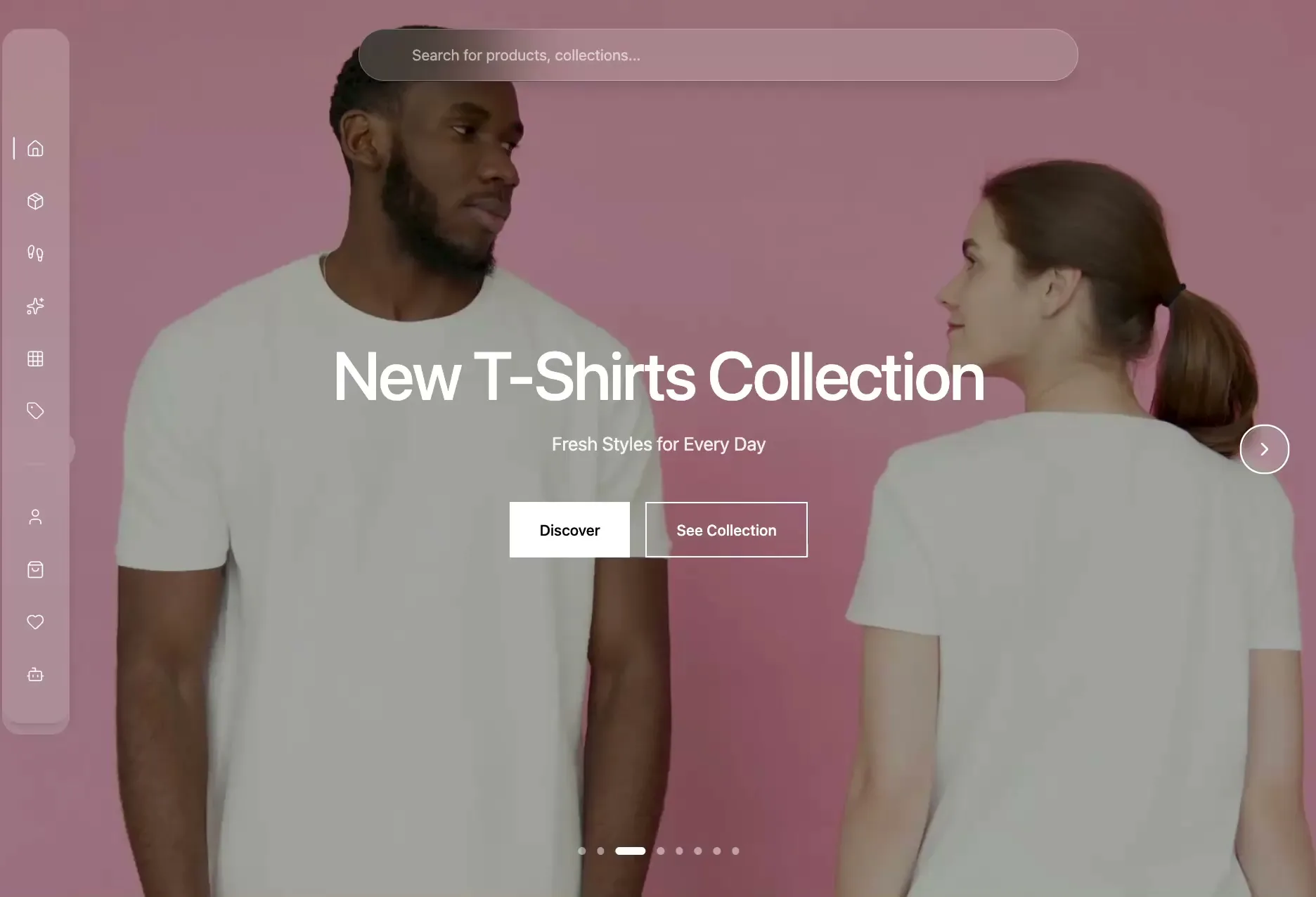
Fashion Store – Smart Shopping Experience
A modern fashion store with visual collections, powerful product search, variant selection, cart, and an integrated shopping assistant for faster purchase decisions.
Your questions answered.
Examples include dog accessories with names, custom-print T-shirts, photo gifts and other products with text, image or variant choices. The configurator follows your product, production method and supplier requirements.
LET’S TALK
Ready to sell personalised products online?
Tell us what shoppers should be able to customise, which preview you need and who fulfils orders. We’ll plan the configurator, dashboard and supplier workflow for your business.